

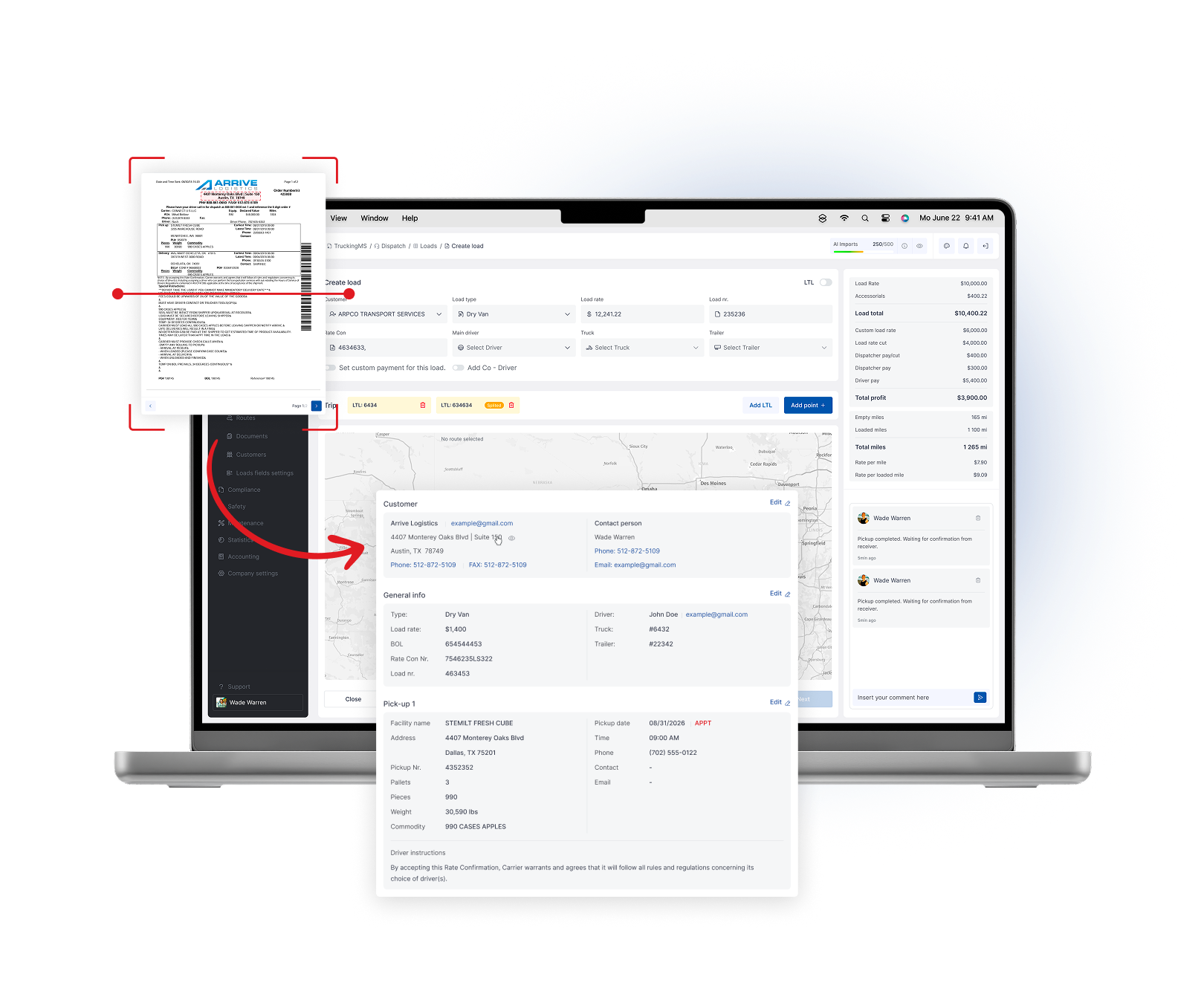
Dispatch teams lose hours to manual load entry, copy-paste from rate confirmations and chasing status updates by phone and text.
Truckin centralizes load creation, AI import and driver assignment so your team moves loads faster, with fewer mistakes and less back-and-forth.
What's included
The core capabilities your team works with every day.
How it works in practice
Import or create load
Assign driver & truck
Track status
Collect documents
Send to invoicing
Connected to the rest of your operation
Who uses it
Dispatchers create and assign loads faster; owners get real-time status without calling around.
What it connects to
Imports loadboard opportunities, pulls status from ELD/telematics and pushes completed loads into accounting.
Explore more
Handle complex routing with trips, LTL and split loads
Manage multi-stop trips, partial loads and automated cost, mileage and revenue calculations without forcing your team into a one-size-fits-all workflow.
Learn moreGive drivers a simple mobile app
Assigned loads, trip details, document upload, status updates, inspections and direct communication with the office - in one app.
Learn moreKeep safety and compliance visible
Track driver readiness, vehicle safety, document expirations, camera events, OBD alerts, HOS, IFTA, DVIR and compliance tasks in one connected system.
Learn more